Introduction: iOS 27 at a Glance
The iOS 27 update officially rolled out on September 14, 2026, and it’s one of Apple’s most substantial software releases in years. It brings a new look, a smarter assistant, and dozens of small improvements that add up to a noticeably different iPhone experience.
At the center of the release is Siri AI, a completely rebuilt version of Siri with real conversational ability. Alongside it, iOS 27 introduces a refined Liquid Glass design, deeper Apple Intelligence features in Photos and Safari, new personalization options, and meaningful performance gains.
This guide walks through everything worth knowing about the iOS 27 update, from installation to the 20 changes that matter most for everyday use.
Getting Started With the iOS 27 Update
Before installing the iOS 27 update, a little preparation goes a long way.
-
Back up your iPhone. Use iCloud or a computer with Finder (or iTunes) so your data is safe if anything goes wrong during setup.
-
Check your storage. Software updates typically need several gigabytes of free space. Delete unused apps or large files if you’re running low.
-
Confirm compatibility. iOS 27 supports iPhone 11 and later, including the iPhone SE (2nd generation) and newer, though the newest Apple Intelligence and Siri AI features require iPhone 15 Pro or newer models.
-
Charge your device or plug it in. Larger updates go smoother when your battery isn’t close to empty.
To install, open Settings > General > Software Update, tap Download and Install, and follow the prompts. If you don’t see the option yet, Apple often rolls out major updates in stages, so it may take a day or two to appear on your device.
iOS 27’s New Liquid Glass Design
Liquid Glass debuted with an earlier iOS release, and the iOS 27 update refines it into something more practical. Apple has added a new slider in Settings that lets you adjust the effect anywhere from ultraclear to fully tinted, so you can choose how much translucency and blur you actually want across menus, Control Center, and app icons.
Icons themselves also look sharper and more defined in this version, which helps important details stand out instead of getting lost behind the glass effect. It’s a smaller change on paper, but it noticeably improves readability for people who found the original design a bit too glossy.
If you prefer a flatter, higher-contrast look, the new tinted option is worth trying first.
Home Screen and Lock Screen Personalization
Personalization continues to be a big theme of the iOS 27 update, especially on the Lock Screen.
A new compact clock mode is now available in the Font & Color panel. Instead of the large, centered time display, you can shrink the clock into the top corner alongside the date and widgets, freeing up space for your wallpaper or photo.
A few practical ways to use the new options:
-
Pair the compact clock with a favorite photo so more of the image is visible.
-
Mix widgets and the smaller clock for a more information-dense Lock Screen.
-
Match Liquid Glass tint levels to your wallpaper for a more cohesive Home Screen.
These changes won’t reinvent how you use your iPhone, but they give you noticeably more control over how it looks day to day.
Siri Gets a Major AI-Focused Upgrade
The headline feature of the iOS 27 update is Siri AI, a rebuilt assistant designed to be far more conversational than the Siri iPhone users are used to.
According to Apple, Siri AI understands personal context across your messages, emails, and photos, can answer questions about whatever is currently on your screen, and can search the web for up-to-date answers. It’s also built into the Camera app through a new Siri mode, letting you point your camera at something and ask Siri about it or take action on it, such as adding a pass to Wallet.
A dedicated Siri app now syncs your conversation history through iCloud, so you can start a conversation on your iPhone and pick it back up on your iPad or Mac.
A couple of important limitations to know:
-
Siri AI is rolling out as a beta in English first, with French, Japanese, Korean, Portuguese, and Spanish arriving in October.
-
The most advanced features require an Apple Intelligence-compatible iPhone, generally iPhone 15 Pro or newer.
-
Siri AI is not available to users under 13, and availability differs slightly in the EU and China due to regional requirements.
Apple Intelligence and AI Shortcuts
Beyond Siri, the iOS 27 update expands Apple Intelligence into the apps people already use every day.
One standout addition is Write with Siri, which lets you describe what you want to write and get a draft or edit suggestions in return, whether you’re composing an email or a note.
Shortcuts also gets an AI boost with a Describe a Shortcut tool. Instead of building an automation step-by-step, you can describe what you want in plain language, and the app generates a working shortcut for you. It’s a genuinely useful way for non-technical users to automate small daily tasks, like composing a message or organizing files.
The Phone app also benefits from Call Context, which can surface relevant information, like a confirmation code or reservation number, while you’re on a call with a business.
As with Siri AI, these features depend on an Apple Intelligence-compatible device and may be subject to daily usage limits during the beta period.
Safari Becomes More Helpful With Extensions and “Notify Me”
Safari picks up two Apple Intelligence-powered features in the iOS 27 update that are easy to appreciate immediately.
First, Safari can now automatically organize your open tabs into topic groups. If you tend to keep dozens of tabs open, they’ll be sorted into clusters like “Travel” or “Recipes” without any manual tidying.
Second, there’s a new Notify Me feature. You can ask Safari to keep an eye on a specific webpage and alert you when something changes.
A couple of practical examples:
-
Ask Notify Me to watch a product page and tell you when an item is back in stock.
-
Use it to track a price drop on something you’ve been considering buying.
Safari can also help you build custom extensions from a plain-language description, making small browser customizations more accessible to non-developers.
Image Playground Gets More Useful
Image Playground, Apple’s built-in AI image creation tool, becomes considerably more capable with the iOS 27 update. It can now generate high-quality images in a wider range of styles, including photorealistic results, which was a noticeable gap in earlier versions.
Apple is also adding image metadata to AI-created and AI-edited content, with support for the SynthID watermarking standard arriving in a future update. That means it will be easier to tell when an image has been generated or edited with AI, which matters for transparency as these tools become more common.
For everyday use, Image Playground is a quick way to create custom stickers, illustrations for a group chat, or unique images for a project, all without leaving your iPhone.
Photos App: Smarter Search and Editing
The Photos app receives some of the most practical upgrades in the entire iOS 27 update.
On the editing side, three new Apple Intelligence tools stand out:
-
Spatial Reframing – adjust a photo’s composition as if you’d repositioned the camera.
-
Extend – expand an image beyond its original edges to reveal more of the scene.
-
Clean Up – an upgraded version of the object-removal tool that handles larger, more complex objects.
Organization also improves noticeably. You can now assign one- to five-star ratings and add keywords to photos and videos, which makes filtering a large library much faster. Search itself has been improved too, returning more accurate results for people and pets and pulling in additional metadata to find what you’re looking for.
On top of that, Apple says newly captured photos can load up to 70% faster in the Photos app, which is especially noticeable for anyone with a large library.
More Control Over Sounds and Alerts
Small quality-of-life changes to sound and notifications round out the iOS 27 update.
Alarms and timers can now have independent volume levels, so you no longer have to choose one system-wide loudness for both. That’s a small fix, but it solves a genuinely common annoyance, like wanting a gentle timer sound while keeping your morning alarm loud enough to actually wake you up.
Notification handling also benefits from the update’s broader performance improvements, with search across Mail and Spotlight returning more reliable, relevant results overall.
AirPods Get More Audio Personalization
AirPods users get a meaningful upgrade in the iOS 27 update, led by a new custom three-band equalizer. Instead of relying only on Apple’s Adaptive EQ or genre-based presets, you can now manually adjust bass, mids, and highs to match your preference.
This EQ feature is available on AirPods models with Apple’s H2 chip, and it does require the latest AirPods firmware alongside iOS 27.
Apple has also reorganized the AirPods settings menu, grouping related controls together so features like noise control, head gestures, and hearing-related options are easier to find. On the fitness side, AirPods Pro 3 owners get expanded Apple GymKit support, allowing heart rate data to sync through the iPhone during workouts.
Control Center and Messaging Improvements
Control Center’s AirPods section has been refreshed in the iOS 27 update, with more visible options for adaptive audio modes, making it quicker to switch settings without diving into the Settings app.
Messages also gets a couple of welcome fixes. You can now draw directly in a conversation to send a quick sketch or note, accessible from the “+” button next to the text field. More importantly, sending large photos or videos over a slow connection no longer blocks other outgoing texts, so conversations keep moving even while media is still uploading.
Wi-Fi Connectivity Assist
Connectivity is one of those things you only notice when it doesn’t work well, and the iOS 27 update makes it noticeably smoother. Transitions between cellular and Wi-Fi networks are more seamless, reducing the small drops and delays that can happen when your iPhone switches between the two.
For anyone who moves frequently between home Wi-Fi, office networks, and cellular data throughout the day, this is a subtle but genuinely useful improvement.
The 20 Most Notable iOS 27 Changes at a Glance
Here’s a quick, scannable rundown of the biggest iOS 27 new features:
-
Siri AI – a conversational, context-aware version of Siri.
-
Siri mode in Camera – ask Siri about what your camera sees in real time.
-
Write with Siri – generate or refine written text by describing what you need.
-
Dedicated Siri app – syncs conversation history across your Apple devices.
-
Describe a Shortcut – build automations in Shortcuts using plain language.
-
Call Context – surfaces useful info, like confirmation codes, during calls.
-
Liquid Glass slider – adjust the interface from ultraclear to fully tinted.
-
Sharper app icons – refined icon design for better readability.
-
Compact Lock Screen clock – a smaller, corner-positioned time display.
-
Automatic Safari tab organization – tabs sorted into topic groups.
-
Notify Me in Safari – get alerts when a webpage changes.
-
AI-generated Safari extensions – build extensions from a description.
-
Improved Image Playground – more styles, including photorealistic images.
-
Spatial Reframing in Photos – recompose photos after the fact.
-
Extend in Photos – expand an image beyond its original frame.
-
Upgraded Clean Up tool – remove larger objects from photos more cleanly.
-
Photo ratings and keywords – star-rate and tag photos for easier searching.
-
Custom AirPods EQ – manually tune bass, mids, and highs on H2-chip models.
-
Independent alarm and timer volume – set separate loudness levels.
-
Faster performance and Wi-Fi handoff – quicker app launches, photo loading, AirDrop transfers, and smoother cellular-to-Wi-Fi transitions.
What iOS 27 Means for Everyday iPhone Users
Stepping back from the feature list, here’s how the iOS 27 update actually changes day-to-day iPhone use:
-
Communication: Siri AI and Call Context make calls and messages a bit smarter, while Messages handles slow connections more gracefully.
-
Browsing: Safari’s tab organization and Notify Me features cut down on manual tab management and repeated site checks.
-
Photography: Photos becomes easier to search, organize, and edit, especially for anyone with a large library.
-
Personalization: Liquid Glass controls and Lock Screen options let you fine-tune how your iPhone looks.
-
Productivity: Write with Siri and Describe a Shortcut lower the barrier to automating small tasks.
-
AI-assisted tasks: Apple Intelligence features are more deeply woven into apps you already use, rather than living in a separate tool.
-
Notifications: Independent alarm and timer volume, plus improved search, make everyday alerts less disruptive.
-
Audio: AirPods owners get real EQ customization for the first time.
-
Connectivity: Smoother Wi-Fi and cellular transitions mean fewer connection hiccups throughout the day.
Not every feature will matter to every user, but most people will notice at least a handful of these changes within the first week.
Conclusion: Is iOS 27 More Than a Visual Refresh?
The iOS 27 update is clearly more than a coat of paint. Yes, Liquid Glass looks more refined and the Home Screen offers more personalization than before, but the real substance is underneath: a genuinely rebuilt Siri, deeper Apple Intelligence integration in Photos and Safari, meaningful AirPods upgrades, and performance improvements that make the whole system feel faster.
Some of the most ambitious features, particularly Siri AI, are still rolling out in stages and depend on newer, Apple Intelligence-compatible hardware. That means the experience will vary depending on which iPhone you own. Still, for anyone updating from an earlier version of iOS, the combination of design polish, smarter apps, and everyday convenience features makes iOS 27 one of the more substantial updates Apple has shipped in recent years.
Oneplus exits US and Europe, shifts devices to Oppo’s coloros
OnePlus has confirmed what industry watchers have expected for months: the company is pulling out of the US and European markets entirely and will not launch any new products in either region going forward. Parent company Oppo says it will continue honoring existing support and warranty agreements, with OnePlus devices shifting over to Oppo’s ColorOS for future software updates.
“Software updates and after-sale support will be guaranteed” in both the US and Europe, Oppo’s senior PR manager for Europe, James Paterson, told The Verge in a call. The company declined to specify how it will handle warranty and support obligations in the US, where it will no longer maintain any presence. In Europe, Oppo itself will continue selling phones and other products directly.
OxygenOS devices moving to ColorOS
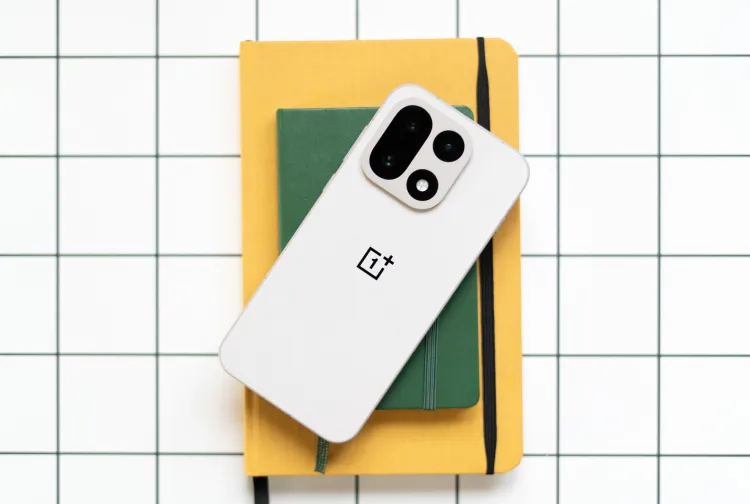
To keep providing software support, OnePlus devices will transition from OxygenOS to Oppo’s ColorOS over the coming months, according to Paterson. Oppo Europe CEO Elvis Zhou said owners will have the option to roll back to OxygenOS if they choose, though doing so will likely mean giving up future updates.
Zhou repeatedly declined to say which markets OnePlus still operates in or plans to operate in going forward. Bloomberg reported this week that OnePlus is expected to exit India and every other remaining market outside China by next year. In a statement to The Verge following that report, Oppo PR representative Nicole Okpokiri confirmed only that “OnePlus’ product roadmap in China remains unchanged,” without addressing the company’s plans elsewhere.
Okpokiri also confirmed that Oppo’s other sub-brand, Realme, is undergoing its own restructuring. Realme will shift its focus to markets outside China and will no longer launch new products domestically, essentially the reverse of OnePlus’s retreat toward China-only operations.
Job losses acknowledged but not detailed
Asked about job losses tied to OnePlus’s contraction, Zhou said the process was handled “in full accordance with the relevant laws and regulations” and that some employees were offered positions within Oppo. He would not say how many employees received that offer or how many ultimately left the company.
What’s next for both brands
OnePlus is still preparing to release its next flagship phone, the OnePlus 16, though it remains unclear whether the device will launch anywhere outside China. Oppo, meanwhile, is moving forward with its own flagship line, the Find X10 series. Rumors also point to Oppo developing a wide foldable phone, a format both Samsung and Apple are expected to introduce this year.
The restructuring marks one of the more significant shifts in the smartphone industry’s competitive landscape in Western markets, where OnePlus built a loyal following over the past decade through aggressive pricing and flagship-level specs sold at a discount to Samsung and Apple. Its exit removes one of the few brands that had carved out a meaningful presence in the US Android market outside of Samsung and Google.
For existing OnePlus owners in the US and Europe, the immediate impact is limited. Support and warranty coverage continue, and the shift to ColorOS is framed as a software transition rather than a service cutoff. The bigger uncertainty lies in what happens after current devices reach the end of their update cycles, since Oppo has not said whether future OnePlus hardware will be sold in either region at all.
Oppo’s decision to consolidate OnePlus around China while expanding Realme internationally suggests a broader reshuffling of how the company positions its sub-brands globally. Realme picking up international distribution while OnePlus retreats to a single market points to Oppo restructuring its portfolio around clearer geographic lines rather than having multiple overlapping brands compete in the same regions.
Whether OnePlus’s China-only future proves permanent or temporary is not yet clear. Zhou’s refusal to comment on the company’s broader roadmap leaves open the possibility that OnePlus could reenter other markets later, though the current signals point toward a company scaling back its global ambitions rather than expanding them.
Google releases Gemini 3, a new coding software, and sets benchmarks
On Tuesday, Google officially launched Gemini 3, the newest and most powerful version of its foundation model series — one that the company says sets a new benchmark for reasoning, problem-solving, and real-time responsiveness. The model is now available immediately through the Gemini mobile app and through Google’s AI-powered Search interface, giving millions of users instant access to the upgraded system.
The launch comes just seven months after Gemini 2.5 and arrives during one of the most competitive periods in AI development. The rollout follows OpenAI’s recent announcement of GPT-5.1 and Anthropic’s release of Claude Sonnet 4.5, underscoring the breakneck pace at which frontier models are improving in 2025.
Google also confirmed that a more research-oriented version of the system, Gemini 3 Deepthink, will be launched in the coming weeks for subscribers of Google AI Ultra. That version is still undergoing intensive, multi-layered safety testing before it is made available to the public or enterprise developers.
“With Gemini 3, we’re seeing this massive jump in reasoning,” said Tulsee Doshi, head of product for the Gemini series at Google. “It’s responding with a level of depth and nuance that we haven’t seen before.”
Setting New Benchmark Records
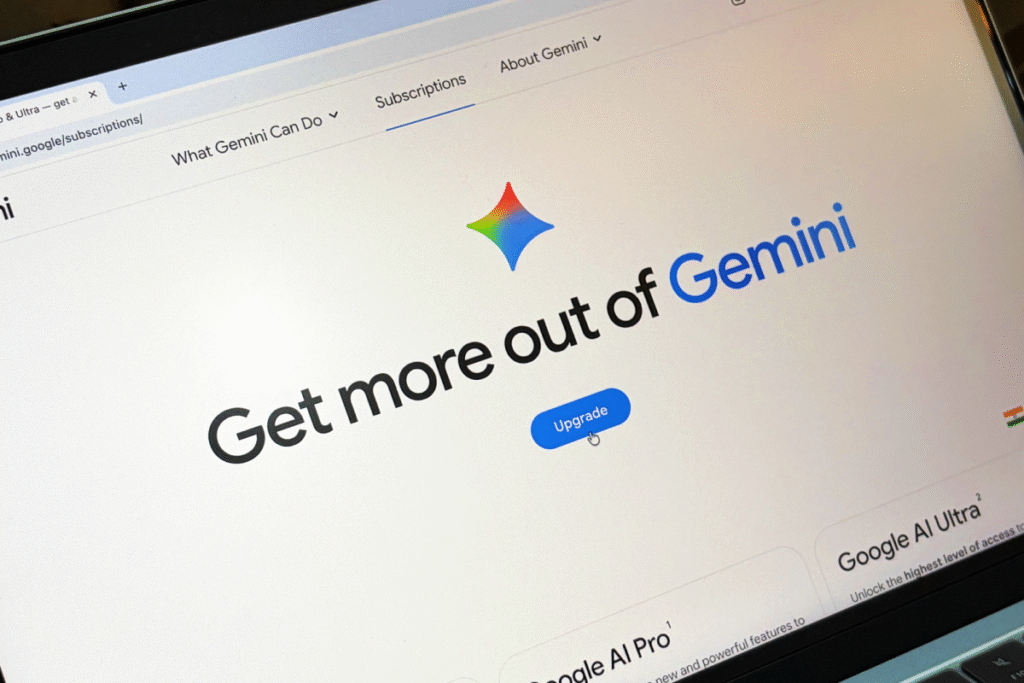
Early performance results hint at a significant leap in capability. Gemini 3 achieved a record score of 37.4 on the highly demanding benchmark called Humanity’s Last Exam-HLE, which is designed to measure broad reasoning, domain-expert knowledge, and real-world decision competency. The previous record holder, GPT-5 Pro, scored 31.64.
It also ranked first in LMArena, a human-evaluated benchmark that measures user satisfaction and the perceived helpfulness of model outputs. Google says these results reflect sustained investment in long-context reasoning, safer outputs, and more natural conversational understanding.
The Growing Gemini Ecosystem
Google announced that the Gemini app now serves more than 650 million monthly active users, a milestone that reflects the rapid pace at which the model has been adopted since its original launch. More than 13 million developers have integrated Gemini into coding, automation, and creative workflows-a signal that the model is becoming deeply embedded in the worldwide software ecosystem.
In addition to the base model, Google also announced Antigravity, a new Gemini-powered coding environment geared toward competing more directly with next-gen agentic IDEs such as Cursor 2.0 and Warp. Antigravity combines a conversational AI prompt panel with a terminal interface and a live browser pane to create one unified space for a developer where an AI agent can write, execute, and test code all in one.
“The agent can work with your editor, across your terminal, across your browser,” explained DeepMind CTO Koray Kavukcuoglu, “ensuring it helps you build your application in the best way possible.”
What Gemini 3 Brings to Users
While Google has not yet released the complete set of architecture details, early testers and developers point out a number of key upgrades:
Improved multi-step reasoning for research, coding, and analytical tasks
Improved memory and context windows to handle large documents more effectively.
More natural, conversational style with less need for prompt engineering
Stronger safety guardrails and real-time toxicity filtering
Smoother integration across Google Workspace-including Docs, Sheets, and Gmail
If approved, Deepthink’s release is expected to further develop long-form reasoning and complex analysis, likely able to go head-to-head with OpenAI’s most advanced models in scientific, legal, and engineering circles.
A Rapidly Escalating AI Race
The launch of Gemini 3 puts a point on the high-stakes race among major AI labs to create increasingly sophisticated models that are capable of autonomy, advanced reasoning, and multi-modal understanding. With Google’s latest entry now live and Deepthink on the way, analysts expect even more aggressive competition in the next few months from OpenAI, Anthropic, Meta, and smaller startups building specialized reasoning engines.
For now, Google is signaling that Gemini 3 marks a turning point. “Every generation of these models gets us closer to AI that truly supports people in deeper, more meaningful ways,” said Doshi. “This is the biggest leap yet.”